How to Delete Your Savvy Expense Pro Account and Data
We believe in giving you full control over your information. If you decide to leave, the process is the same across all platforms.
Steps to Delete Your Account:
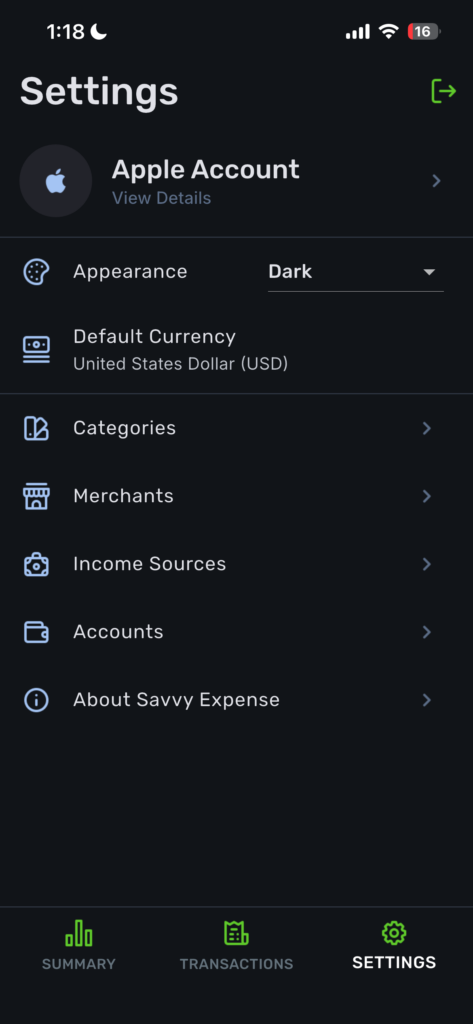
- Open Settings: Navigate to the Settings menu within the app.
- Access Account Details: Tap on your profile avatar or the View Details button.
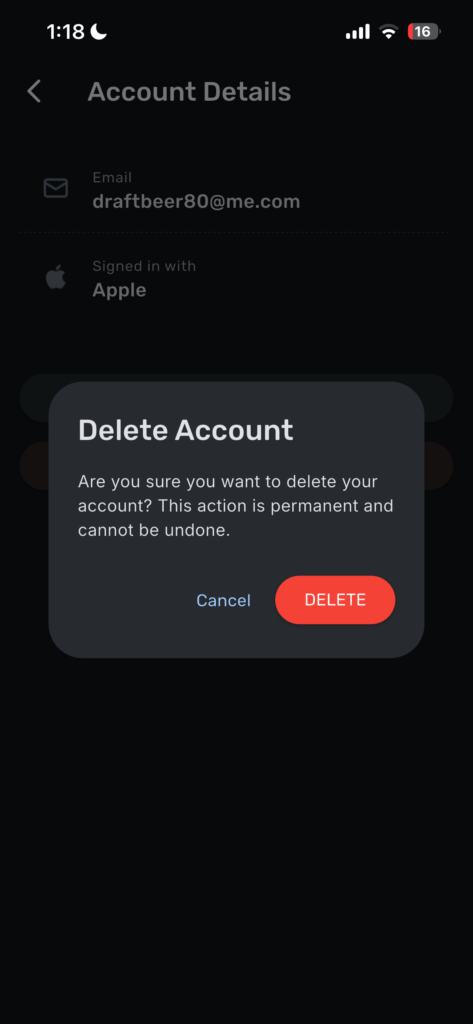
- Initiate Deletion: Scroll to the bottom and tap Delete Account.
- Confirm Selection: A modal will appear asking for confirmation. If you are certain, tap Delete.
⚠️ Warning: Proceeding with this action will permanently delete your account and all associated financial data. This process is irreversible and cannot be undone.